What is OEE? How to calculate OEE and the 6 big losses that hold machines back

Many plant managers feel their machines “run all day” yet output still misses the target. Where does the time go? OEE (Overall Equipment Effectiveness) answers that question better than any other metric, because it separates the losses into stops, slow running and scrap. This article explains what OEE is, how to calculate it and where to start improving it.
What is OEE?
OEE is the share of planned production time in which a machine makes good parts at full speed. An OEE of 100% would mean no stops, running at the standard cycle time and zero scrap for the whole planned time. No plant reaches 100%, but OEE shows exactly what the gap is made of.
OEE is a core idea of TPM (Total Productive Maintenance) and works for almost any equipment: CNC machines, presses, injection moulding machines, robots and assembly lines.
The OEE formula
OEE = Availability × Performance × Quality
- Availability = run time ÷ planned production time – how long the machine was stopped.
- Performance = (ideal cycle time × total count) ÷ run time – whether it ran slower than it should while running.
- Quality = good count ÷ total count – how much of the output was scrap or rework.
Worked example (hypothetical figures)
A CNC machine is planned for one 480-minute shift. It stops for 60 minutes in total (waiting for material, changeover, a fault). The ideal cycle time is 1 minute per part. It makes 380 parts, of which 361 are good.
- Availability = 420 ÷ 480 = 87.5%
- Performance = (1 × 380) ÷ 420 = 90.5%
- Quality = 361 ÷ 380 = 95.0%
- OEE = 0.875 × 0.905 × 0.950 ≈ 75.2%
Cross-check: (good parts × ideal cycle time) ÷ planned time = 361 ÷ 480 ≈ 75.2%. If the two results differ, some of the collected data is wrong.
The 6 big losses
- Breakdowns – unplanned stops for repair (Availability).
- Setup and adjustments – changing dies, jigs or programs (Availability).
- Small stops – jammed parts, sensor faults, waiting for an operator to load (Performance).
- Reduced speed – running below the standard rate (Performance).
- Startup rejects – scrap while settling the process after a changeover (Quality).
- Production rejects – parts drifting out of tolerance through tool wear or thermal growth (Quality).
Losses 3 and 4 are the easiest to miss: the machine looks busy, yet over a month they add up to a lot of lost time.
Why manual logging distorts OEE
- Stops of a few minutes are rarely written down.
- Stop reasons are recorded differently on each shift, so they cannot be analysed.
- Numbers reach managers late, after the damage is done.
- Ideal cycle times are not updated with the real programs, so Performance is over- or under-stated.
How to improve OEE
1. Measure automatically from the machines
Connect CNC machines, robots and other equipment to a data system so run/stop status and part counts are recorded by themselves, and let operators pick stop reasons from a fixed list. The data becomes complete and comparable across shifts.
2. Fix the biggest loss first
Rank stop reasons by lost time (Pareto) and start at the top – long changeovers with SMED and quick-change jigs, or waiting for loading with robot CNC machine tending.
3. Remove scrap at the source
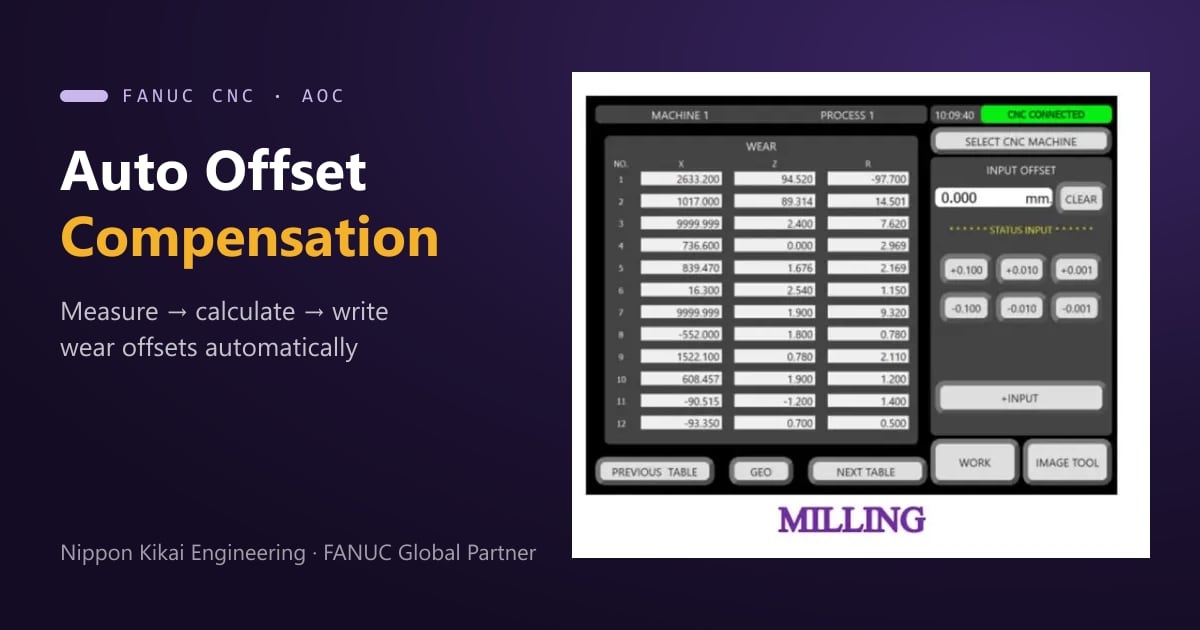
If Quality is low because sizes drift out of tolerance, feeding measurement results back into machine offsets in time helps a great deal – see Auto Offset for FANUC CNC.
4. Show everyone the same numbers
Display OEE and stop reasons on shop-floor screens and in meetings, so production, maintenance and quality discuss the same data instead of guesses.
FAQ
What is a good OEE?
It depends on the process and industry. More important than a benchmark is the trend of your own machines: measure consistently and check that OEE improves after each fix.
Should breaks and unplanned days count?
No. OEE uses planned production time only, so scheduled breaks and days without a plan are removed first. Unplanned stops such as waiting for material are losses and must be counted.
Does it work with older machines?
With most of them. Machines without a communication port can provide status signals or an added part-count sensor; engineers survey each model before choosing how to connect it.
Start measuring OEE with NKE
NKE builds machine-data systems showing OEE, machine status and stop reasons, and the shop-floor improvements that follow – jigs, robot loading, CNC machine solutions and factory automation. Tell us about your plant through the contact form, call +66 2 746 7196 or LINE @nke.th.